‏إظهار الرسائل ذات التسميات computer. إظهار كافة الرسائل

الجمعة، 20 مايو 2016

HP Spectre x360 15T review: It's sexy and thin, but comes with a performance cost

With its new Spectre x360 15T, HP is offering a different approach to the high-end, high-performance 15-inch laptop. This is a laptop, the company says, that’s aimed at folks who want a sizable screen and reasonably great performance wrapped in a great package.
The Spectre x360 15T certainly has the "great package" part down. It's essentially a bigger version of the beautiful 13-inch Spectre x360Both feature a similar CNC-milled aluminum chassis, as well as a 10-point touch IPS panel that can be folded back into A-frame mode or tablet mode. Most impressive is that, despite the Spectre X360 15T having a far larger screen than the 13-inch version, the two models are the same thickness.
Our review sample measures 16.55mm (a little more than half an inch) near the hinge—that’s awfully thin for a 15.6-inch laptop. Compare that to Dell’s new XPS 15, which is maybe 20mm. Or Samsung’s new 15-inch Book 9 Pro and the mid-2015 Apple MacBook Pro 15, which are both about 18mm.
The Spectre x360 is also pretty light for its size at just over 4 pounds and 2 ounces. By comparison, the mid-2015 MacBook Pro 15 and the 15.6-inch Samsung Book 9 Pro with 4K touchscreen each push about 4 pounds and 7 ounces.
Not surprisingly, using the Spectre x360 15T feels like using a bigger version of the Spectre x360 13. Interestingly, despite the x360 15T’s larger body, its keys are roughly 0.1mm smaller. Both laptops give you a top-notch backlit keyboard that doesn’t feel cramped. In fact, the relative roominess is noticeable compared to typing on, say, the Dell XPS 13 for an extended period.
The trackpad has the same wide format we’ve seen before from HP. Its piano-style hinge gets progressively harder to push at the top, 
The screen on our review unit is an 1920x1080 IPS panel with support for touch. (HP offers a 4K panel, but for most people, that option is overkill.) When comparing the display to that of the new Dell XPS 15 and the new Samsung Book 9 Pro, I found the backlighting to be even. There was some bleeding at the top left and right corners when I turned up the brightness in a dark room, but generally you won’t notice it.
Naturally, the HP's panel wasn’t as tack-sharp as the Samsung Book Pro 9’s 4K Ultra HD screen when viewing high-resolution photos. Most people would need bionic vision to see the difference, however.

CPU performance: Four is better than two

For all its good looks, the Spectre x360 15T has a steep task before it: to convince people that it’s worth giving up the performance that most companies are jamming into their top-end 15.6-inch laptops. Natural competitors like Dell’s XPS 15, Samsung’s Book 9 Pro, and Apple’s MacBook Pro 15 all sport quad-core CPUs and discrete GPUs, whereas the Spectre x360 15T packs a dual-core processor and integrated graphics.
Is that performance a big deal? In some tests, yes: It’s as big a deal as Ron Burgundy is in his own mind.
First up is Cinebench R15, a real-world test based on Maxon’s 3D rendering engine. Though the vast majority of people aren’t doing 3D rendering on a laptop, the benchmark is a good way to measure pure CPU performance. The more cores you throw at it, the more performance you get.
Compared to other dual-core laptops, the HP actually represents well. With its Core i5-6200U, it’s just a step back from a Surface Pro 4’s Core i5-6300U chip. But against the quad-core systems, the story’s different. The Dell and Samsung quad-core CPUs stomp the dual-cores into the dirt. But they are bigger and heavier, too.
For another practical test, we set Handbrake 0.9.9 to transcode a 30GB 1080p MKV video file to a 720p MP4, using the Android Tablet preset. Beyond giving you an idea of how long it’d take if you indeed used your laptop for video file conversion, this test is also a good indicator of video editing performance. As with Cinebench R15, you give up performance with that dual-core.

Graphics performance: Discrete > IGP

To get a quick look at the Spectre X360 15T’s graphics performance against the rest of the pack, I used 3DMark’s Sky Diver test, a well-respected synthetic graphics benchmark.
Again, the Spectre x360 15T does reasonably well, but it gets trounced by laptops with discrete graphics. The Surface Book, which has discrete graphics believed to be on par with a GeForce GT 940, does almost twice as well in Sky Diver. The Samsung and Dell boast even better discrete graphics chips, with the XPS 15 posting a score almost three times higher than the Spectre x360 15T. In general, that means you’ll see better performance in games and in applications that use the GPU for computing tasks from these competitors.
For those of you who want a little more graphics pep, HP offers a dual-core Spectre x360 15T with Intel Iris graphics aboard. I can say that, yes, that's where you'll find the best integrated graphics performance today, but it still won’t outdo discrete graphics.
If you’ve looked at those CPU and GPU charts and turned up your nose in disgust, remember HP’s angle here. This is not a laptop for people who need to do heavy-duty tasks.
This is why I like to show the results of the PCMark 8 Work Conventional test. Few people ever need more than a dual-core machine with a solidly fast SSD and sufficient RAM—as you can see, none of the hardware differences really show during ordinary tasks on these laptops. The exception is the Surface 3 with its Atom X7-Z8700 processor. This is what HP hopes people realize when they do the obvious comparison between the Spectre x360 15T and systems like the XPS 15 and Samsung Book 9 Pro.

Battery life: Dual-core beats quad-core

There are some distinct advantages to a more modest configuration, as well. Shedding two cores and a discrete GPU can net better battery life. For our battery-life test, we play a 4K UHD resolution file using the Movies & TV player app in Windows 10, with the screen set at a fairly bright 250 to 260 nits. This brightness setting is akin to what you’d use when playing a video in an average office environment with the lights on.
The Spectre x360 15T bests the Samsung Book 9 Pro with its big 4K UHD touchscreen. It also nicely outpaces the Dell XPS 15. In fairness to Dell, our XPS 15 review model features the smaller battery option—there’s an optional cell that’s about 20 percent bigger. Even with the bigger battery though, I’m not sure it would whip HP’s laptop. The Spectre x360 15T does very well, especially considering it has a touchscreen, which consumes more power than a non-touchscreen.
Finally, there's the Spectre x360 15T’s price—maybe it's most compelling attribute. Without that fancy-schmancy quad-core processor and discrete GPU, you can save buckets of cash. The model with 8GB of RAM and a 256GB M.2 SSD lightens the wallet by $1,150, whereas a Dell XPS 15 with the same amount of RAM and same-sized SSD pushes $1,450, without a touchscreen. The Samsung Book 9 Pro is even more: $1,500. That’s almost as significant a difference in price as the performance deltas above.

Conclusion

Like all things in life, HP’s Spectre x360 15T's appeal comes down to your personal needs. If you want a 15-inch laptop for video editing, photo editing, or other content creation tasks, opt for a more powerful CPU and GPU, like those found in the Samsung Book Pro 9 and Dell XPS 15. 
But if you have a desktop for most of your “real” work and just want a laptop that's fairly light and thin, has a large screen, and offers good battery life, the X360 15T is worth a good look.


review laptop gigabyte q2442n

  • Unrivaled Performance with 3rd Generation Intel® Core™ i7 Quad-core Processor
  • Fantastic Visual Experience with NVIDIA® GeForce® GT 640M 2GB
  • Amazing 17.3” HD+ 1600x900 LED Backlight Display
  • Impressive Audio Performance with THX TruStudio Pro™ Technology
  • Enjoy 3D/Full HD Entertainment on External Displays with HDMI 1.4
  • Intel® Integrated USB 3.0 for 10X Faster Data Transfers

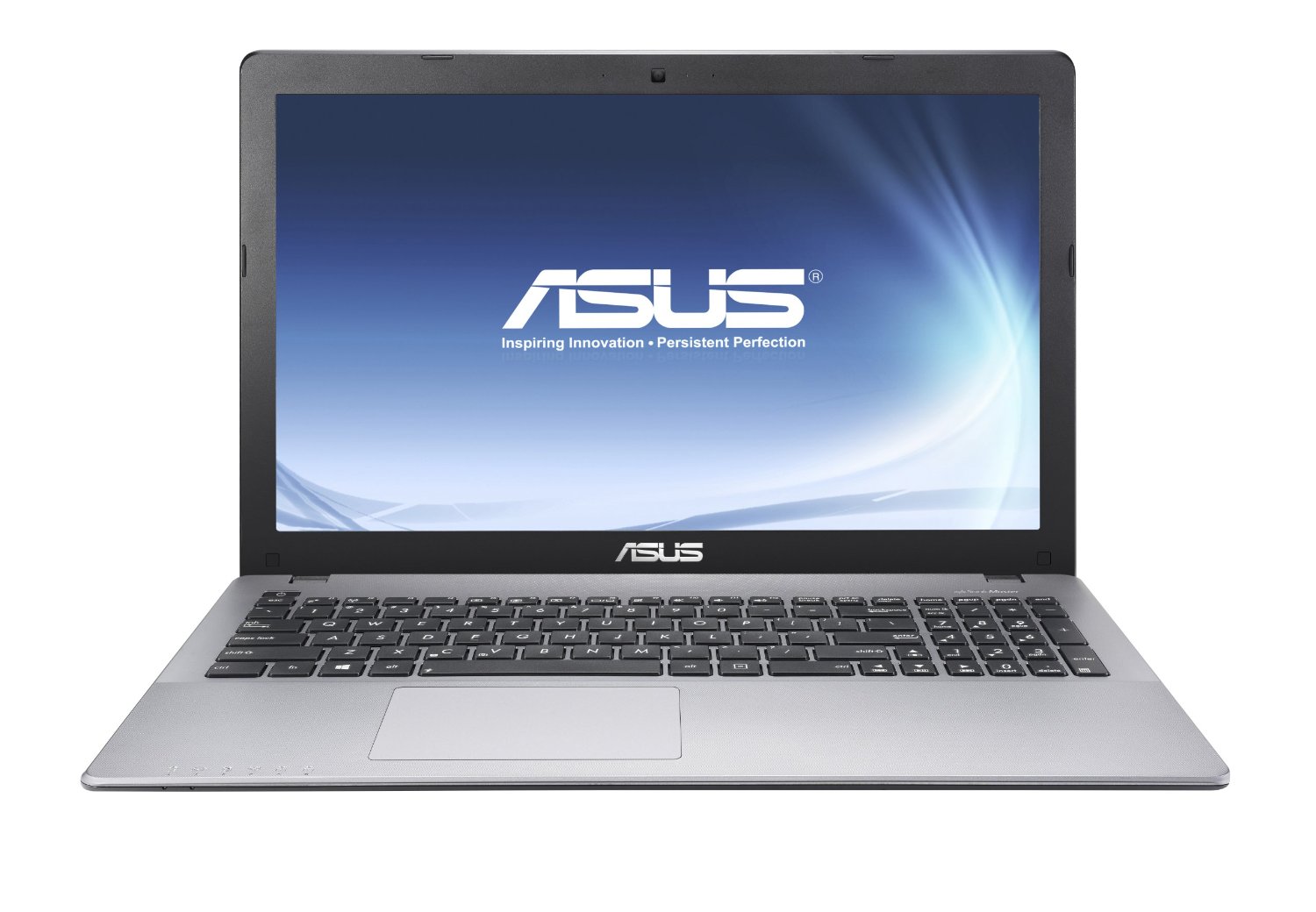
Asus X550 Series


Processor: AMD A-Series A8-5550M, Intel Celeron 1007U, Intel Core i3 2348M, Intel Core i3 3217U, Intel Core i5 3230M, Intel Core i5 3337U, Intel Core i5 4200U, Intel Core i5 4210U, Intel Core i7 4510U, Intel Core i7 4710HQ, Intel Pentium 2117U
Graphics Adapter: AMD Radeon HD 8550G + HD 8670M Dual Graphics, Intel HD Graphics (Ivy Bridge), Intel HD Graphics 3000, Intel HD Graphics 4000, NVIDIA GeForce 820M, NVIDIA GeForce 840M, NVIDIA GeForce GT 720M, NVIDIA GeForce GT 740M, NVIDIA GeForce GTX 850M
Display: 15.6 inch
Weight: 2.2kg, 2.3kg
Price: 400, 500, 600, 800, 900 euro
Average Score: 75.33% - good

Asus X550CA-DB31

Specifications

Notebook: Asus X550CA-DB31
Processor: Intel Core i3 3217U
Graphics Adapter: Intel HD Graphics 3000
Display: 15.6 inch, 16:9, 1366x768 pixels
Weight: 2.3kg
Price: 500 euro


الثلاثاء، 17 مايو 2016

THE BEST GAMING MOTHERBOARDS

When it comes to gaming, it pays to be picky about motherboards. Shortcomings that otherwise go unnoticed in office applications can crash the party in action or racing games, and keep you off leaderboards like a case of shaky hands. Make sure those pricey drives, graphics cards and overclocked CPUs live up to their potential by giving them a loving home with a good motherboard. We've looked into dozens of them to find the best at a variety of prices and form-factors.
The new Skylake CPUs demand a new family of chipsets, which finally pave the lanes wide for serious I/O performance. We've put together a separate guide onthe best Z170 motherboard for enthusiasts, while this guide covered all the bases. The 170 chipset blurs the lines between Intel’s extreme and standard platforms with plenty of positive results for gamers and enthusiasts, although X99’s higher prices have rubbed off a little, too.

The best all-around Skylake motherboard (LGA 1151)

If you’re tired of waiting while ASUS sorts out the Pro Gaming series or gun-shy about going with MSI, ASUS offers the Z170-Pro. This non-gaming focused alternative features better VRM hardware than either of those midrange boards along with ALC 1150 audio, Intel v219 Ethernet, subdued white/silver looks, and ASUS’s signature-series BIOS, a package that provides the best overall experience on LGA1151 today.
Skipping past the beta-board waiting line will cost you a bit though, as the Z170-Pro is only available at its hefty initial list price of $195, making it costly for a general recommendation but the best fit for the vast $200 gap in between Z170 mid-range and newfound $300+ high-end frontier. These are early days for Skylake however, so expect $150-170 street prices before long, once the new-car aroma wears off and the discounts begin.

The best mid-range Skylake motherboard (LGA 1151)

MSI continues its winning streak in a shocking upset victory over ASUS with theZ170A Gaming Pro, a just-right mix of style, features, and price that resets expectations for motherboards under $150. Matching the more expensive ASUS Pro Gaming in features but beating it handily in price and current firmware stability, MSI seems to have a better grip on Intel’s new chipset than the competition, at least in this segment.

The best budget Skylake motherboard (LGA 1151)

Budget boards aren’t meant for overclocking, which puts Intel’s H170 chipset front and center in the value class. The substantial cost saving from H170 vs Z170 comes mostly from skipping K processor price premiums, although there’s cash to be recovered from H-series motherboard purchases as well. When every dollar counts, it pays to put the pennies towards a better GPU once four healthy cores are present.

The best mini-ITX Skylake motherboard (LGA 1151)

ITX remains a land of limited returns for gamers, although Skylake’s power and heat reductions mean better build scenarios than Haswell could provide. While ASRock’s Fatal1ty series narrowly missed taking the budget pick in the ATX form factor, the Fatal1ty Z170 Gaming-ITX/AC managed to land the overall ITX recommendation for Z170 with a full-sized feature list along with some special tricks that separate it from the rest of the pint-sized pack.

The best high-end Skylake motherboard (LGA 1151)

While ASUS may be having problems with a few mid-range boards, there’s no problem at the high end. A perusal of the product catalog shows a bevy of overachievers above $200. There isn’t a loser in the lot, but some are smarter than others, and the Z170 Deluxe is ASUS’s overall valedictorian. A genius in motherboard form, it can do everything other motherboards do, only better.
FIN

NVIDIA GeForce GTX 745 OEM

The GeForce GTX 745 OEM is a graphics card by NVIDIA, launched in February 2014. Built on the 28 nm process, and based on the GM107 graphics processor, in its GM107-300-A2 variant, the card supports DirectX 12.0. The GM107 graphics processor is an average sized chip with a die area of 148 mm² and 1,870 million transistors. Unlike the fully unlocked GeForce GTX 750 Ti, which uses the same GPU but has all 640 shaders enabled, NVIDIA has disabled some shading units on the GeForce GTX 745 OEM to reach the product's target shader count. It features 384 shading units, 24 texture mapping units and 16 ROPs. NVIDIA has placed 4,096 MB DDR3 memory on the card, which are connected using a 128-bit memory interface. The GPU is operating at a frequency of 1033 MHz, memory is running at 900 MHz. 
We recommend the NVIDIA GeForce GTX 745 OEM for gaming with highest details at resolutions up to, and including, 1680x1050.
Being a single-slot card, the NVIDIA GeForce GTX 745 OEM does not require any additional power connector, its power draw is rated at 55 W maximum. Display outputs include: 1x DVI, 1x VGA, 1x HDMI. GeForce GTX 745 OEM is connected to the rest of the system using a PCIe 3.0 x16 interface. The card measures 145 mm in length, and features a single-slot cooling solution.

ASUS X550ZE-DB10 LAPTOP REVIEW- A STANDARD, MID-RANGE PIECE

After having a good look at the latest piece from ASUS, we can’t help but wonder; is there anything unique about the X550ZE at all? We came up with no. There’s nothing different about its design when it is placed in comparison with absolutely any other ASUS piece. Even its features are an average mix that fit its price range. We like the mid-range processor, the RAM and HD space and the 
graphics given that they all come housed under a $706.21 roof. They’re basic value for money, something we truly appreciate.
So far, we are a little bit wary to review this one because we are almost certain it packs no surprises. Regardless, let us show you if it’s worth a buy or not. Scroll down to find a more detailed review.

THE PROS – ASUS X550ZE-DB10

Space; The greatest the X550ZE has to offer its market is its above-average memory and storage space. This is primarily where a user is able to earn value for his money. with 8 GB of RAM space and 1 TB of Hard Drive space (note: at 7200 RPM), the computer is capable of heightened speeds and offers abundant data storage facilities.
Mediocre Mix; The mid-range AMD processor is powerful enough to manage daily workload tasks and complex programs; the Radeon graphics succeed in delivering satisfying visuals; the laptop is lightweight, albeit not too lightweight, at 5.1 pounds. These points may not be the product’s highlights, but being mediocre features, we find that they’re good enough to be categorized under our ‘Pros’.
Lest We Forget; The CD/DVD reader & writer. Not something that every new laptop possesses, given the increasing redundancy of the use of CDs, the X550ZE offers the crisp advantages of a CD/DVD writer and player, which keeps us very satisfied.
Design; Like we said, there is certainly nothing unique about this ASUS product. It looks just like any other piece from the company and it is plain boring. In addition, even though it appears sleek, it measures 1.20 inches in height. Any laptop which measures under the 1 inch height span is a sleek one in our books.
Software; We can make our peace with the fact that there is nothing that particularly stands out feature-wise with the X550ZE, but the inclusion of Windows 8.1 has us suddenly sitting up straight in our seats. If you aren’t familiar with the software, we suggest you stay clear of it because it is a waste of time and human effort. Downgrade to Windows 7.

FULL SPECS – ASUS X550ZE-DB10

ProcessorAMD A10-7400P Quad Core 2.5 GHz Processor (Turbo up to 3.4 GHz)
Memory8 GB DDR3L SDRAM
GraphicsRadeon Dual graphics R7 M265DX
O.S.Windows 8.1
Display15.6-Inch Screen (1366 x 768 pixels)
Storage1 TB 7200 RPM Hard Drive
Connectivity2 x USB 2.0, 802.11bgn
Weight5.1 pounds
Price$706.21

BOTTOM LINE – ASUS X550ZE-DB10

And so we return to the already answered question: is there anything unique about the X550ZE at all? The answer remains unchanged. This one’s as average as any other mid-range laptop on the market right now. But that doesn’t mean it doesn’t deserve to be bought. It has several advantages we’ve already mentioned above, not to mention its apparent value for money. It may not be a unique piece, but it is a good piece. Pick it up for the affordable price tag of $706.21 and you will earn nothing more than a good, reliable laptop.

الاثنين، 16 مايو 2016

MSI: Best and Worst Laptop Brands

MSI: Best and Worst Laptop Brands
MSI's lineup of mostly gaming laptops is packed with new and intriguing features, such as mechanical keyboards and eye-tracking sensors. We love the performance, design and innovation of the company's products. The brand places fifth  — but that's not because of any flaw in its laptops but rather the company's mediocre tech support, weak warranty and very limited selection. 

Design (11/15)

MSI takes risks, and they usually pay off. Case in point: the GT72S Dominator Pro Dragon Edition and its bright-red aluminum lid, complete with a dragon imprint. But if you prefer your mammoth gaming system to be a bit more subdued, there's the regular GT72 2QE Dominator Pro. And the GT80 Titan SLI is the only gaming laptop with a mechanical keyboard.
The company isn't all play, though, delivering slim, stately, aluminum workstations like the WS60 that offer customizable backlighting. The PE60 Prestige is the unfortunate exception to the rule, with a chintzy plastic chassis that's thick around the edges.

Reviews (26/30)

MSI doesn't have the most diverse portfolio of laptops, but they are quality machines. Out of the five MSI laptops we reviewed, the lowest score was 3.5. The 4.5-star MSI GT72 Dominator Pro Dragon Edition was also a real standout in the increasingly competitive gaming category, featuring a brilliant mechanical keyboard, a gorgeous red-and-black paint job and sky-high graphics performance from its desktop-level Nvidia 980 GPU. MSI exemplifies the principle of staying focused on your strengths.

Tech Support (15/20)

MSI's phone support is limited to 12 hours daily (9 a.m. to 9 p.m. ET), and the company ranked dead last in the most recent Tech Support Showdown. Some of our calls went unanswered, and a lack of live chat or online database built for power users limits the usefulness of MSI's support. When we finally connected with customer-support reps over the phone, however, our calls were concise and valuable.

Warranty (3/5)

The company provides a two-year limited warranty on its laptops,  which is longer than most of its competitors offer. However, you must pay for your own shipping costs. You can upgrade the RAM or storage without voiding the warranty, provided that you don't damage your computer.

Software (3/5)

Last year, many of MSI's gaming laptops, including the GT72 Dominator Pro Dragon Edition, included the Dragon Gaming Center (pictured below), a hub for your settings and other features to customize and elevate your gaming setup. Many of the company's laptops also included System Monitor, which keeps tabs on your CPU and GPU temperatures, network connection and fan speed. They also have the SteelSeries Engine, GeForce Experience and XSplit Gamecaster built in.

Unfortunately, the focus hasn't been entirely on gaming. There's been plenty of bloatware on Titan and Dominator models, including Flipboard, Music Maker Jam, So Cookbook, Evernote Touch and Norton Studio. The nongaming WS60 came preloaded with trials of Microsoft Office, Symantec’s security suite, and WinZip, along with MSI's own Battery Calibration program.

Innovation (10/10)

If there's a high-end gaming feature, MSI will usually be the first to implement it. In 2015, the company was the first major manufacturer to use a mechanical keyboard on a gaming laptop and among the first to offer Nvidia's G-Sync anti-tearing technology. In 2016, MSI unveiled the GT72 Dominator Pro, which uses a desktop-class graphics card to provide high enough performance for virtual-reality gaming, and the GT72 G Tobii, the first gaming laptop with built-in eye-tracking technology.

Value and Selection (7/15)

Almost all of the laptops MSI releases in the U.S. are high-end gaming rigs, from the $950 PE60 Prestige to the $3,400 GT80 Titan SLI, with a handful of models in between. The WS60 workstation was the only MSI nongaming system we reviewed in the past year. If you're looking for serious mobile gaming hardware, MSI has more than its fair share of pricey options, but forget about budget laptops or mainstream consumer products.

How MSI Can Improve

MSI's products are top-notch, but its warranty and support don't match up. The company should offer 24-hour phone support, improve its online resources and pay for return shipping on defective laptops.